Feature
Workforce
Hours, pay, absence, records and compliance for the people who run your hire business — clock-in through to payroll export, built into Renttix and the Renttix Field app rather than bolted on beside it.
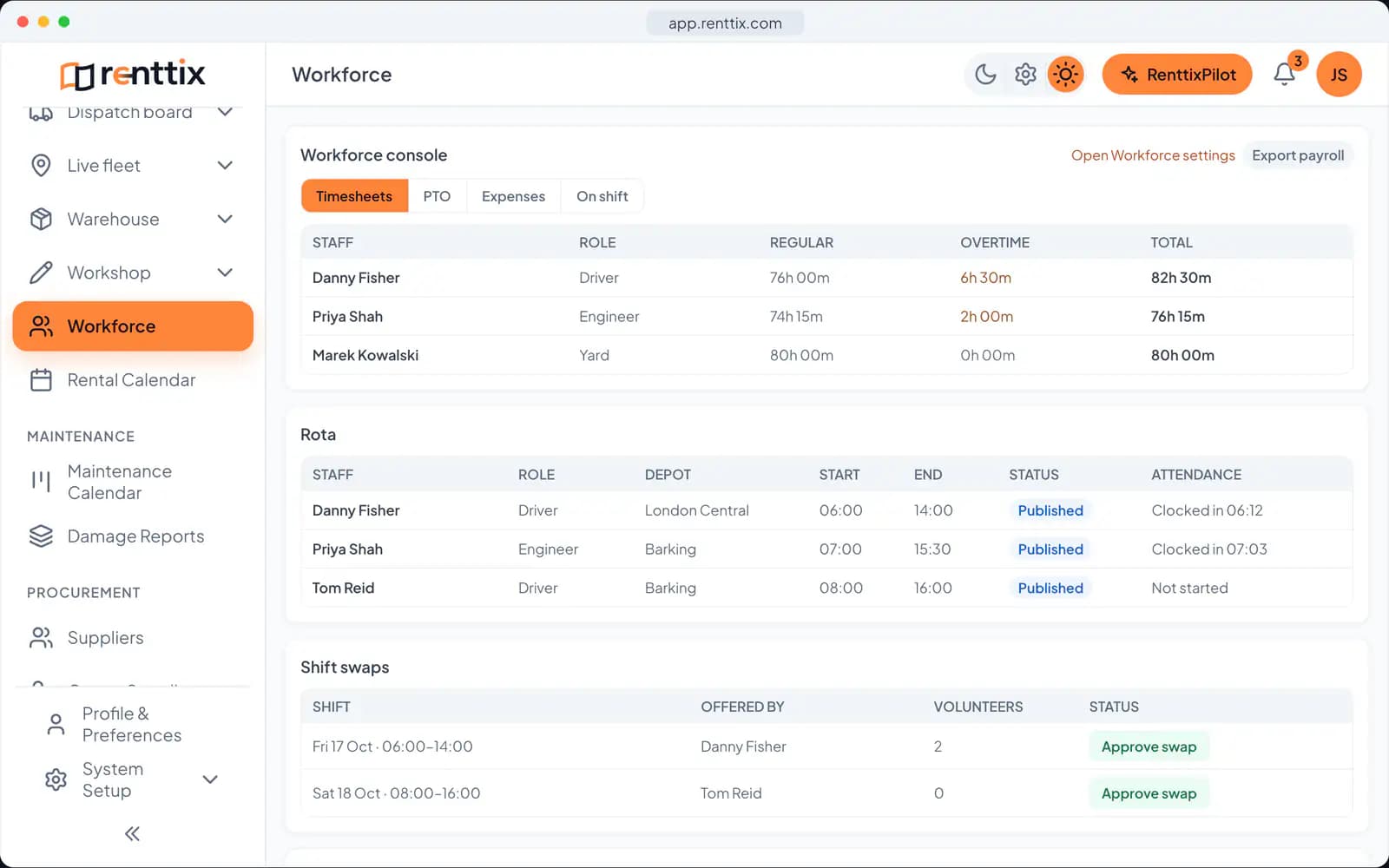
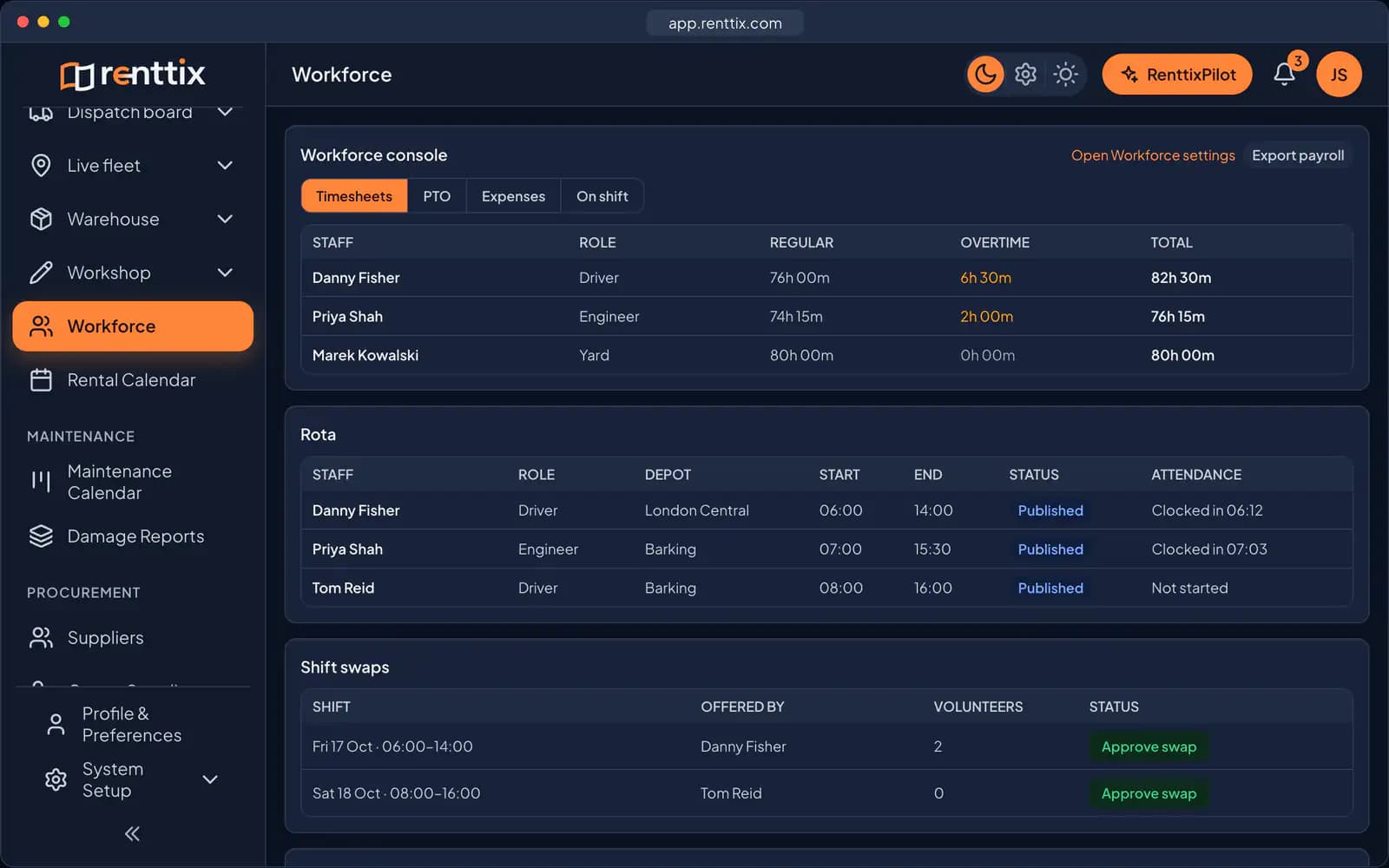
Clock-in, clock-out and timesheets
Most hire businesses run payroll from a mixture of paper timesheets, spreadsheets, and memory. The hours your business pays for and the hours that were actually worked drift apart, and nobody notices until margins tighten.
With Workforce enabled, staff clock in and out where they already work. Drivers and engineers clock in from the Renttix Field app at the start of their shift. Office staff clock in from their own profile in the web system. Every clock event lands in the same attendance record, so there is one version of the truth for hours worked.
The timesheet view shows hours per person across any date range — who worked, how long, and who is on the clock right now. Because Renttix also captures billable labour against jobs, you can see attendance and billed hours side by side and understand utilisation rather than guess at it.
There is no separate app to buy, no export-import routine, and no second system for your team to learn.
Holiday booking and approval
Leave requests cause a disproportionate amount of friction for the size of the decision. Someone asks in a corridor, the answer lives in someone's head, and three weeks later two drivers are on holiday during your busiest week.
In Renttix, staff book leave from the place they already are — the Field app for engineers and drivers, the profile page for office staff. They see their own balance before they ask: allowance for the year, days booked, days awaiting approval, days remaining.
Requests queue for approval in the Workforce console. Managers see who is asking, for which dates, how many working days it costs, and any note attached. Approve or decline with one click, with a decision note if you want one. Overlapping requests from the same person are rejected automatically, and a request that exceeds the remaining allowance never reaches the queue.
Sick leave, unpaid leave, and other absence types are recorded the same way for visibility, without drawing down the holiday allowance.
Configured to your policy, not someone else’s
Leave rules differ between countries, industries, and companies — so Renttix does not impose any. You set the annual allowance in working days, and you can override it per person for long-serving staff or part-timers.
Working-day counting is configurable too. By default, weekends do not count toward a request — a Friday-to-Monday break costs two days, not four. If your teams work weekends, switch weekend counting on and every day counts.
Approval itself is optional. Keep it on and requests queue for a manager. Switch it off and bookings are approved the moment they are made — useful for smaller teams that trust the calendar.
The entire module is controlled from system setup. Until you enable it, no clock buttons, holiday screens, or consoles appear anywhere. And one deliberate boundary: employment data is excluded from the Renttix AI assistant entirely. Hours, absences, and leave decisions stay between your staff and their managers.
From hours worked to money paid
Attendance is only useful if it reaches payroll without being retyped. Renttix costs the hours it has already captured — applying your overtime rules, deducting breaks and rounding once — so the figure that leaves the system is the figure your payroll expects.
Salaried staff are handled properly rather than approximated. A salary is prorated across the days actually employed, per unit of the basis you set — monthly, weekly or annual — so a full month pays the exact monthly rate and a mid-period joiner or leaver is paid only for the days they were employed.
Adjustments and expenses Bonuses, back pay and allowances go on as additions; advances, uniform and garnishments as deductions. Both are pre-tax lines against the period, so the adjusted gross reaching payroll is complete. Mileage claims are costed server-side from the distance and your rate rather than trusting a figure typed into a form.
Getting it into payroll For UK payroll, costed hours push into Xero Payroll as draft timesheets — hours, never money. Xero keeps rates, tax, National Insurance, RTI and payslips; nothing is filed or paid from Renttix. Elsewhere the same period exports in Sage format or as CSV for any provider. Once a period is exported it locks, so a later edit has to be a deliberate correction rather than a silent change to a number payroll has already used.
Absence you can actually manage
Holiday is the easy half. The absence that costs a hire business money is the unplanned kind, and managing it means recording more than a date range.
Sickness is captured with its evidence — self-certification for short absences, a fit note where your policy requires one — and Renttix flags when an absence has run past the self-certification limit without one arriving. A return-to-work conversation can be required before the record is closed.
Seeing the pattern, not just the total Renttix calculates the Bradford Factor for each employee: spells squared, multiplied by days. It is deliberately weighted so that four separate one-day absences score far higher than one four-day illness, because the first disrupts a rota and the second does not. Set a threshold and the people worth a conversation surface on their own.
Health data is treated as health data Sickness detail is special-category information and is handled that way. It is stripped from every general leave screen it would otherwise ride on, excluded from the audit trail, and gated behind its own permission — a key that can read timesheets cannot read ailments.
Rota, availability and cover
A rota is a set of promises about who will be where. Renttix checks those promises against everything else it knows before you publish them.
Assigning a shift is validated against existing shifts, approved leave, the person's stated availability and — for drivers — their hours-of-service headroom. Clashes surface as you schedule rather than at six o'clock the next morning, and can be overridden deliberately where you have a reason.
Staff keep their own availability current People set their own recurring days off and one-off unavailable blocks from the Renttix Field app. The office schedules against what staff have actually told it, instead of against what someone remembers being mentioned.
Swaps without the phone calls An employee can offer a published shift they cannot work. Colleagues volunteer, the office approves one, and the shift is reassigned — with the same clash checks applied to the person taking it on. A who's-off calendar shows the team who is away without exposing why: leave type stays between the employee and their manager.
Records, contracts and onboarding
Employment generates paperwork that has to be produced years later. Renttix keeps it against the person rather than in a filing cabinet or a shared drive nobody has audited.
Contracts, offer letters, handbooks, policies, right-to-work evidence, appraisals and disciplinary records are stored per employee, with visibility you control. Documents that need signing are sent to the employee, who signs in the Renttix Field app — typing their name is the signature, captured with the time and the device. A signed document cannot be edited back into an unsigned state; the signature is only reachable through signing.
Onboarding that finishes Onboarding and offboarding run as checklists built from your own templates, with tasks assigned to whoever owns them. Tasks that depend on paperwork complete themselves when the document is signed or uploaded, so the checklist reflects reality rather than someone's memory of it.
Nothing expires quietly Licences, tickets, medical certificates and signed documents all carry expiry dates. A daily sweep raises one grouped notification per tenant at thirty days, seven days and expiry — deduped, so a renewal starts a fresh cycle and a re-run stays silent instead of training everyone to ignore the bell.
Hours-of-service and working-time compliance
Where your people drive, the limits are law rather than policy, and getting them wrong is an enforcement matter.
Renttix ships regional presets rather than assuming one regime. US FMCSA property-carrying limits are the default — eleven hours driving, a fourteen-hour duty window, sixty or seventy hours rolling — alongside FMCSA passenger-carrying, Canadian federal, EU 561, GB domestic and Australian NHVR. You pick the regime that applies; the engine does the rest.
Measured the way the regulations are written Limits attach to duty periods, not calendar days. Renttix builds those periods from consecutive shifts separated by a qualifying rest, so a night shift crossing midnight is one duty period rather than two half-days, and a legal split is not flagged as a breach. Duty is counted net of breaks, and rolling limits run over a dense day axis rather than a naive week.
Checked before it happens, not after Projected breaches are evaluated against planned rostered work, not only against hours already worked — which is the difference between a warning while you can still change the rota and a report explaining why you could not. Working-time reporting covers the same ground for staff who are not drivers.
Follow one rental
Where this happens to R-2417
A sample rental: the customer and figures are made up. The statuses and screens are Renttix’s own.
Rental recordSample
R-2417
Step 4 of 9 · Prepare
- Delivery
- Scheduled
- Equipment
- EX-0388 · DM-1142 · DM-1157
See this stage in the walkthroughSee this screen in the live demo
Workforce FAQ
Is Workforce a separate product or an add-on?
No. Workforce is part of Renttix, switched on from system setup. Field staff use it inside the Renttix Field app they already have, and office staff use it from their profile. There is no separate licence or app.
How are working days counted for a holiday request?
By default Saturdays and Sundays do not count, so a Friday-to-Monday request uses two days of allowance. If your staff work weekends, enable weekend counting in Workforce settings and all seven days count.
Does this replace our payroll system?
No — it feeds it. Renttix costs the hours, applies overtime, adjustments and expenses, and hands the period to payroll: as draft timesheets in Xero Payroll for UK payroll, or as a Sage-format or CSV export anywhere else. Pay rates, tax, statutory filing and payslips stay with your payroll provider.
Is employment data used by the Renttix AI assistant?
No, and that is enforced rather than promised. The assistant has no workforce action, tool or permission, and its API layer contains no path to workforce, HR, payroll, sickness, absence or checklist data. A test suite pins this and fails if anyone adds one, so the boundary cannot be crossed by accident.
Can it handle US hours-of-service rules?
Yes — FMCSA property-carrying limits are the default preset, with passenger-carrying, Canadian federal, EU 561, GB domestic and Australian NHVR also available. Limits are measured against duty periods split by qualifying rest rather than calendar days, so cross-midnight shifts and legal splits are handled correctly.
Related features
Field Service Management
Give engineers everything they need to complete service jobs on site — checklists, parts, labour, and signed job sheets.
Compliance & Inspections
Statutory test regimes with regional presets, expiring certificates that chase themselves, and assets that cannot leave the yard non-compliant.
Enterprise Security
Single sign-on, passkeys, two-factor, and role-based permissions — access control that satisfies your IT team, not just your ops team.
Developer API & Webhooks
Build on your rental data with a documented REST API, scoped keys, and webhooks that tell your systems what just happened.
AI Operations & Agent Team
Seven specialist AI agents watch your rental business every day and queue up ready-to-approve work — under governance controls your IT team can actually verify.
Global Payments & Tax
Take payments the way your market pays and calculate tax the way your region demands — wherever you operate.
RenttixPilot — AI Assistant
Ask your rental system questions and get real answers — RenttixPilot is a permission-aware AI assistant working on your live data.
Open your first rental record today
14-day free trial · Payments and deposits ready · Quick setup