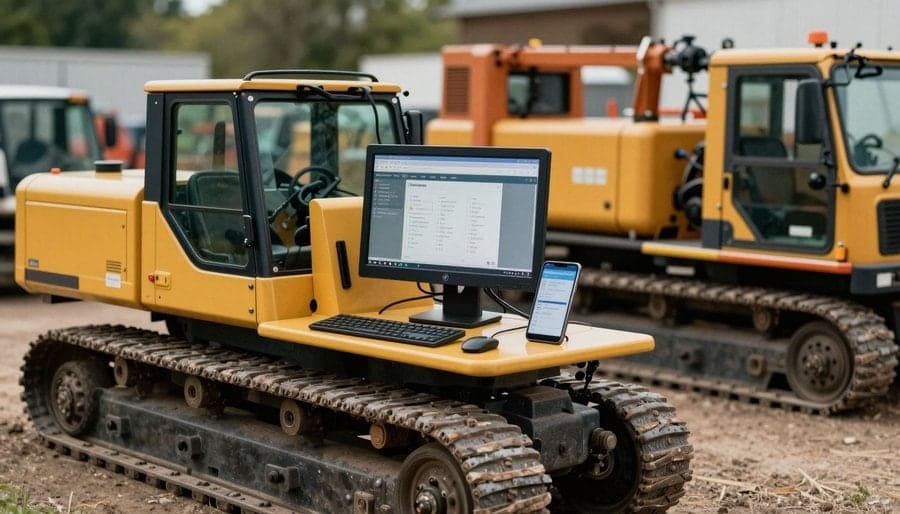
Why the clipboard keeps letting you down
Counting rental stock by eye, or ticking items off a printed sheet, is slow — and it is wrong far more often than most depots want to admit. A busy yard does not lend itself to careful cross-checking: someone is trying to get an order out the door, another order back onto the shelf, and a stock take squeezed in between, all while looking at rows of equipment that are supposed to be distinct but often look almost identical from three feet away.
A barcode scan turns a fuzzy human judgement — which one is this, and is it the right one — into a half-second, unambiguous fact. The scanner does not get tired, does not assume the item in front of it matches the one on the list because it is roughly the right size, and does not need to trust someone's handwriting from an hour earlier. That distinction matters most at exactly the three points where a rental business can least afford to get it wrong: picking an order, dispatching it, and taking it back in.
This is not a new idea. Retailers and warehouses have used barcodes for decades precisely because manual identification and counting do not scale reliably. What is worth examining is why it matters so specifically for rental operations, where the same physical asset goes out, comes back, gets inspected, and goes out again, sometimes dozens of times a year — and where each of those movements is a chance for the paper record to quietly part ways with reality.
What a barcode scan actually replaces
A barcode does not, by itself, add any information that a well-kept spreadsheet or asset register doesn't already contain. What it removes is the fallible middle step: a person reading a label or a model number, matching it in their head against a list, and writing down, or clicking, what they believe they just saw. That step is where errors creep in, not because staff are careless, but because visual identification of similar equipment is genuinely hard to do quickly and correctly, over and over, all day.
Consider what that middle step actually involves. Two generators from the same manufacturer, one 3kVA and one 3.5kVA, sitting side by side. A run of scaffold couplers where only a stamped batch number distinguishes one inspection date from another. A pallet of near-identical cable drums where only a barcode, or a very close look at a worn asset tag, tells you which is due for testing this month and which was tested last week. None of this is exotic; it is the ordinary texture of a rental depot's inventory, and it is exactly the kind of detail that a rushed, tired, or simply distracted person will occasionally get wrong.
This matters most at three points where an asset changes hands or changes location: when it is picked for an order, when it is loaded and dispatched, and when it comes back in. Each is a moment where the record has to be reconciled with a specific physical object, and each is a moment where a scan, rather than a glance, turns identification from a judgement call into a lookup.
Scan-driven prep and pick queues stop the wrong item going out
The most common inventory error in a rental depot is not a miscount of totals; it is substitution — the right quantity of roughly the right thing, with the wrong specific item, model variant, or condition status going out on the wrong order. Someone picking a dozen scaffold clamps from memory, or from a paper pick sheet, has no mechanism to stop them grabbing a visually identical clamp that was actually set aside for the next job, or one flagged for inspection.
A scan-driven pick queue closes that gap by design. Instead of ticking a line off a list, the picker scans the item, and the system checks it against what that specific order actually requires — not just a clamp, but that clamp, assigned to that order, in a status that says it is available to go out. If it is the wrong item, the wrong variant, or something that should be in the workshop rather than the yard, the scan surfaces that immediately, at the point where it costs nothing to fix, rather than hours later when a driver is already on site and the customer is holding the wrong kit.
This is part of what scan-driven workflows look like in practice: prep queues and pick scanning that keep the yard honest before anything leaves the gate, rather than relying on a picker's memory and a supervisor's spot-check to catch mistakes after the fact. The efficiency gain is real, but the more important one is that a wrong item never gets the chance to become a wrong delivery, a re-routed van, or a customer waiting on equipment that should have arrived correctly the first time.
Returns check-in: tying condition to a specific asset, not a category
When equipment comes back without scanning, the condition note that gets attached to it is usually generic — mixer, some wear, scrawled against a category rather than a serial-numbered unit. That kind of note is nearly useless six months later: it cannot tell you whether the same physical mixer keeps coming back scuffed while the rest of the fleet is fine, or whether damage is genuinely spread evenly across everything of that type. A category-level note has no memory.
Scanning at returns check-in fixes that by attaching the condition record to the exact asset that was scanned, not to one of these. Returns check-in with condition capture and damage flagging becomes a running history against a single identity rather than a series of disconnected observations: this specific unit, this specific date, this specific fault, logged against the same asset every time it comes back. Over a year, that turns from a pile of separate notes into an actual maintenance and damage record — the kind that can tell you an asset is heading for retirement, or that a particular hire is consistently returning equipment in worse shape than the rest of your customer base.
It also removes ambiguity at the moment that matters most for cost recovery. If damage is being charged back against a hire, it needs to be tied to the asset that customer actually had, not to a guess based on which unit looks like it might be the one that came back from that job. A scan at check-in, paired with photos or notes, settles that question before it becomes a dispute.
Periodic stock takes: a reconciliation exercise, not a shutdown
Even with scanning at every pick, dispatch, and return, a periodic full stock take still earns its place — but a barcode-based one is a fundamentally different exercise from the traditional version. A manual stock take means closing off a section, if not the whole depot, while two people with clipboards walk every rack and count everything by eye, then someone else spends the following week trying to reconcile the count sheets against the system and work out where the numbers disagree and why.
A scan-based stock take replaces the counting step with exactly what it sounds like: someone walks the racks with a scanner, scanning each item as they pass it, rather than reading labels and writing numbers down. The value is not really in the walking; it is in what happens afterwards. The system already knows what should be in each location, so the job of the stock take becomes reconciliation, not counting from scratch. It can immediately flag the two categories that actually matter: items the system expected to find that were not scanned, and items that were scanned somewhere they were not expected to be. Everything that matches does not need a human to look at it twice.
An illustrative example
Picture a tool hire depot running its regular Sunday-morning stock take across several hundred small items — drills, breakers, generators, and the accessories that go with them. Done by eye, that is most of a morning lost, plus the following days spent chasing down discrepancies that turn out to be counting mistakes rather than real stock problems. Done as a scan-based reconciliation, the same walk-through surfaces a short, specific exception list — three items expected in one bay that were not there, one item scanned in the wrong bay — instead of a pile of numbers that do not quite add up with no clue why. That is the practical difference between a stock take that eats a Sunday and one that is a routine part of running the business. Barcode stock takes work this way precisely because the reconciliation, not the scanning itself, is where the time gets saved.
What to look for in barcode-capable rental software
Barcode scanning only delivers the accuracy gains described above if it is built into the workflow rather than bolted on as an afterthought. A scanner that just looks up an item's details is a nice-to-have; a system that uses the scan to actively check pick accuracy, capture condition against a specific asset, and reconcile a stock take is what actually changes error rates.
Renttix builds barcode-based stock takes into its asset intelligence feature set, alongside RFID support and live telematics for equipment where those are the right fit, so a depot is not limited to one identification method across a mixed fleet of small tools and larger plant. On the operational side, warehouse and depot management is built around scan-driven prep queues, pick scanning, and returns check-in with condition capture and damage flagging, so the yard runs on the same scan-verified data from the moment an order is prepped to the moment the equipment comes home.
None of this requires changing how a depot already works day to day; it requires making sure the software treats a scan as a check, not just a lookup. If your current stock take still means closing the yard for a day, or your damage notes still live on a category rather than a specific asset, that is usually a sign the barcode step is missing from the workflow rather than a sign your depot is unusually disorganised. If you want to see how scan-driven prep, pick, and returns check-in would fit your own operation, book a demo and walk through it against your own stock.